Timetables in Microsoft Word format
Weekly timetable templates for MS Word in 18 versions to download and print (free) |
Sponsored links
A wide variety of multipurpose weekly timetables in Microsoft Word format to use as school timetables for kids, students and teachers, class and lesson schedules, or workshop and event planners.
These blank templates are fully customisable, editable and printable, and using them is easy – simply download, fill in your details, save and print. If your needs change, it's no problem to amend and edit the saved timetable and then print out again. Great for school, college, university, work, business and academic use, or for school and work trips, conferences, training courses, day schools and all kinds of events, activities and applications. They are also a useful time management tool, be it for daily tasks, chores and appointments, as a work or hobby schedule, lesson plan template, for family commitments and time with the kids, or simply for keeping track of your goals (for more detailed daily time planning tools see also our weekly calendars/planners). The templates are available for three different periods: Monday to Friday (5 day week), Monday to Saturday (6 day week) and Monday to Sunday (7 day week), and each comes in a number of styles and formats.
The templates are saved in Microsoft Word ".docx" format and can be used with the newer versions of Word that support the XML document standard (Word 2007 to 2021 and Office 365). If you have one of the older versions of Word that only supports the ".doc" format (Word 2000, 2002/XP and 2003), or if you don't have Word installed, use Microsoft Office Online or one of the Microsoft Word/Microsoft Office alternatives FreeOffice TextMaker, LibreOffice Writer, Google Docs and others, which are all free of charge (OpenOffice Writer unfortunately has formatting problems when opening our calendars), or use a docx to doc converter (available for online or offline use). Also compatible with Microsoft Office for Mac (macOS) and Microsoft Office mobile for iPad/iOS, Android and Windows 10 mobile.
The files can be easily modified and adapted to meet your specific requirements, then saved and used again at a later stage. All timetable templates are blank, editable, printable and macro-free and may be used free of charge for non-commercial use (for commercial use please contact us). Not for commercial distribution or resale. All content of this website is copyright © 2011-2024 Calendarpedia®. All rights reserved. Data provided 'as is' without warranty and subject to error and change without notice.
See also:
Other useful calendars for 2024:
These blank templates are fully customisable, editable and printable, and using them is easy – simply download, fill in your details, save and print. If your needs change, it's no problem to amend and edit the saved timetable and then print out again. Great for school, college, university, work, business and academic use, or for school and work trips, conferences, training courses, day schools and all kinds of events, activities and applications. They are also a useful time management tool, be it for daily tasks, chores and appointments, as a work or hobby schedule, lesson plan template, for family commitments and time with the kids, or simply for keeping track of your goals (for more detailed daily time planning tools see also our weekly calendars/planners). The templates are available for three different periods: Monday to Friday (5 day week), Monday to Saturday (6 day week) and Monday to Sunday (7 day week), and each comes in a number of styles and formats.
The templates are saved in Microsoft Word ".docx" format and can be used with the newer versions of Word that support the XML document standard (Word 2007 to 2021 and Office 365). If you have one of the older versions of Word that only supports the ".doc" format (Word 2000, 2002/XP and 2003), or if you don't have Word installed, use Microsoft Office Online or one of the Microsoft Word/Microsoft Office alternatives FreeOffice TextMaker, LibreOffice Writer, Google Docs and others, which are all free of charge (OpenOffice Writer unfortunately has formatting problems when opening our calendars), or use a docx to doc converter (available for online or offline use). Also compatible with Microsoft Office for Mac (macOS) and Microsoft Office mobile for iPad/iOS, Android and Windows 10 mobile.
The files can be easily modified and adapted to meet your specific requirements, then saved and used again at a later stage. All timetable templates are blank, editable, printable and macro-free and may be used free of charge for non-commercial use (for commercial use please contact us). Not for commercial distribution or resale. All content of this website is copyright © 2011-2024 Calendarpedia®. All rights reserved. Data provided 'as is' without warranty and subject to error and change without notice.
See also:
- Weekly calendars 2024
- School calendars 2024/25 (August 2024 to July 2025)
- Timetables in other paper formats: US letter (as used in the USA, Canada & Mexico)
- Timetables in other languages: German · Spanish · French
- Timetables in other file formats: Word · Excel · PDF
Other useful calendars for 2024:
Timetables Monday to Friday (5 day week) - 6 templates
View large image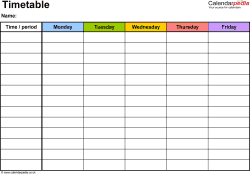
Template 1: Weekly timetable,
landscape format, 1 page, in colour,
Monday to Friday (5 day week)
Template 1: Weekly timetable,
landscape format, 1 page, in colour,
Monday to Friday (5 day week)
Template 1:
Timetable (Monday - Friday)
landscape, in colour
- one A4 page, landscape format, in colour
- Monday to Friday (5 day week)
- easy to modify and adapt to your needs
- can be saved and reused again later
- template suitable for all Word versions from 2007 (.docx file)
Download template 1
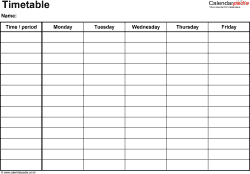
Template 2:
Timetable (Monday - Friday)
landscape
- one A4 page, landscape format
- Monday to Friday (5 day week)
- easy to modify and adapt to your needs
- can be saved and reused again later
- template suitable for all Word versions from 2007 (.docx file)
Download template 2
View large image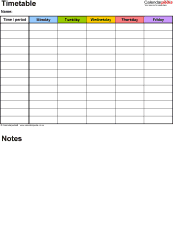
Template 3: Weekly timetable,
portrait format, 1 page, in colour,
Monday to Friday (5 day week),
with room for notes and comments
Template 3: Weekly timetable,
portrait format, 1 page, in colour,
Monday to Friday (5 day week),
with room for notes and comments
Template 3:
Timetable (Monday - Friday)
portrait, with room for notes, in colour
- one A4 page, portrait format, in colour
- Monday to Friday (5 day week)
- with room for notes and comments
- easy to modify and adapt to your needs
- can be saved and reused again later
- template suitable for all Word versions from 2007 (.docx file)
Download template 3
View large image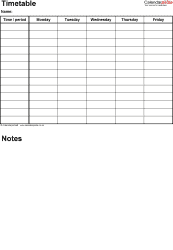
Template 4: Weekly timetable,
portrait format, 1 page,
Monday to Friday (5 day week),
with room for notes and comments
Template 4: Weekly timetable,
portrait format, 1 page,
Monday to Friday (5 day week),
with room for notes and comments
Template 4:
Timetable (Monday - Friday)
portrait, with room for notes
- one A4 page, portrait format
- Monday to Friday (5 day week)
- with room for notes and comments
- easy to modify and adapt to your needs
- can be saved and reused again later
- template suitable for all Word versions from 2007 (.docx file)
Download template 4
View large image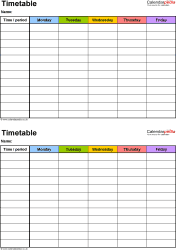
Template 5: Weekly timetable,
Two A5 timetables on one page, in colour,
Monday to Friday (5 day week),
portrait format
Template 5: Weekly timetable,
Two A5 timetables on one page, in colour,
Monday to Friday (5 day week),
portrait format
Template 5:
Two A5 timetables (Monday - Friday)
portrait, in colour
- Two A5 timetables on one page on top of each other
- one A4 page, portrait format, in colour
- Monday to Friday (5 day week)
- easy to modify and adapt to your needs
- can be saved and reused again later
- template suitable for all Word versions from 2007 (.docx file)
Download template 5
View large image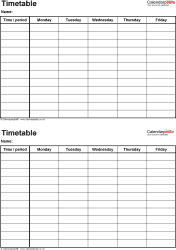
Template 6: Weekly timetable,
Two A5 timetables on one page,
Monday to Friday (5 day week),
portrait format
Template 6: Weekly timetable,
Two A5 timetables on one page,
Monday to Friday (5 day week),
portrait format
Template 6:
Two A5 timetables (Monday - Friday)
portrait
- Two A5 timetables on one page on top of each other
- one A4 page, portrait format
- Monday to Friday (5 day week)
- easy to modify and adapt to your needs
- can be saved and reused again later
- template suitable for all Word versions from 2007 (.docx file)
Download template 6
See also:
- weekly calendars 2024
- school year calendars 2024/25 (August 2024 to July 2025)
- yearly calendars for 2024
- weekly schedules for the United States (in US letter paper format)
- timetables in Excel and PDF file formats
Timetables Monday to Saturday (6 day week) - 6 templates
View large image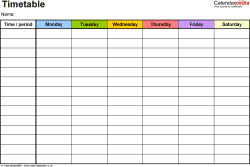
Template 7: Weekly timetable,
landscape format, 1 page, in colour,
Monday to Saturday (6 day week)
Template 7: Weekly timetable,
landscape format, 1 page, in colour,
Monday to Saturday (6 day week)
Template 7:
Timetable (Monday - Saturday)
landscape, in colour
- one A4 page, landscape format, in colour
- Monday to Saturday (6 day week)
- easy to modify and adapt to your needs
- can be saved and reused again later
- template suitable for all Word versions from 2007 (.docx file)
Download template 7
View large image
Template 8: Weekly timetable,
landscape format, 1 page,
Monday to Saturday (6 day week)
Template 8: Weekly timetable,
landscape format, 1 page,
Monday to Saturday (6 day week)
Template 8:
Timetable (Monday - Saturday)
landscape
- one A4 page, landscape format
- Monday to Saturday (6 day week)
- easy to modify and adapt to your needs
- can be saved and reused again later
- template suitable for all Word versions from 2007 (.docx file)
Download template 8
View large image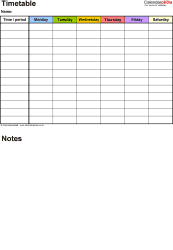
Template 9: Weekly timetable,
portrait format, 1 page, in colour,
Monday to Saturday (6 day week),
with room for notes and comments
Template 9: Weekly timetable,
portrait format, 1 page, in colour,
Monday to Saturday (6 day week),
with room for notes and comments
Template 9:
Timetable (Monday - Saturday)
portrait, with room for notes, in colour
- one A4 page, portrait format, in colour
- Monday to Saturday (6 day week)
- with room for notes and comments
- easy to modify and adapt to your needs
- can be saved and reused again later
- template suitable for all Word versions from 2007 (.docx file)
Download template 9
View large image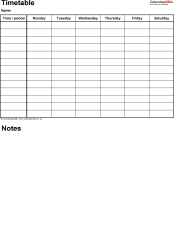
Template 10: Weekly timetable,
portrait format, 1 page,
Monday to Saturday (6 day week),
with room for notes and comments
Template 10: Weekly timetable,
portrait format, 1 page,
Monday to Saturday (6 day week),
with room for notes and comments
Template 10:
Timetable (Monday - Saturday)
portrait, with room for notes
- one A4 page, portrait format
- Monday to Saturday (6 day week)
- with room for notes and comments
- easy to modify and adapt to your needs
- can be saved and reused again later
- template suitable for all Word versions from 2007 (.docx file)
Download template 10
View large image
Template 11: Weekly timetable,
Two A5 timetables on one page, in colour,
Monday to Saturday (6 day week),
portrait format
Template 11: Weekly timetable,
Two A5 timetables on one page, in colour,
Monday to Saturday (6 day week),
portrait format
Template 11:
Two A5 timetables (Monday - Saturday)
portrait, in colour
- Two A5 timetables on one page on top of each other
- one A4 page, portrait format, in colour
- Monday to Saturday (6 day week)
- easy to modify and adapt to your needs
- can be saved and reused again later
- template suitable for all Word versions from 2007 (.docx file)
Download template 11
View large image
Template 12: Weekly timetable,
Two A5 timetables on one page,
Monday to Saturday (6 day week),
portrait format
Template 12: Weekly timetable,
Two A5 timetables on one page,
Monday to Saturday (6 day week),
portrait format
Template 12:
Two A5 timetables (Monday - Saturday)
portrait
- Two A5 timetables on one page on top of each other
- one A4 page, portrait format
- Monday to Saturday (6 day week)
- easy to modify and adapt to your needs
- can be saved and reused again later
- template suitable for all Word versions from 2007 (.docx file)
Download template 12
See also:
- weekly calendars 2024
- school year calendars 2024/25 (August 2024 to July 2025)
- yearly calendars for 2024
- weekly schedules for the United States (in US letter paper format)
- timetables in Excel and PDF file formats
Timetables Monday to Sunday (7 day week) - 6 templates
View large image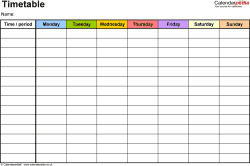
Template 13: Weekly timetable,
landscape format, 1 page, in colour,
Monday to Sunday (7 day week)
Template 13: Weekly timetable,
landscape format, 1 page, in colour,
Monday to Sunday (7 day week)
Template 13:
Timetable (Monday - Sunday)
landscape, in colour
- one A4 page, landscape format, in colour
- Monday to Sunday (7 day week)
- easy to modify and adapt to your needs
- can be saved and reused again later
- template suitable for all Word versions from 2007 (.docx file)
Download template 13
View large image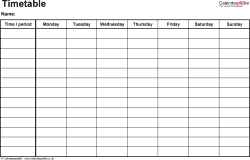
Template 14: Weekly timetable,
landscape format, 1 page,
Monday to Sunday (7 day week)
Template 14: Weekly timetable,
landscape format, 1 page,
Monday to Sunday (7 day week)
Template 14:
Timetable (Monday - Sunday)
landscape
- one A4 page, landscape format
- Monday to Sunday (7 day week)
- easy to modify and adapt to your needs
- can be saved and reused again later
- template suitable for all Word versions from 2007 (.docx file)
Download template 14
View large image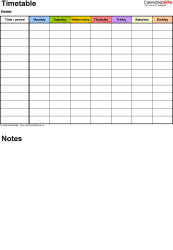
Template 15: Weekly timetable,
portrait format, 1 page, in colour,
Monday to Sunday (7 day week),
with room for notes and comments
Template 15: Weekly timetable,
portrait format, 1 page, in colour,
Monday to Sunday (7 day week),
with room for notes and comments
Template 15:
Timetable (Monday - Sunday)
portrait, with room for notes, in colour
- one A4 page, portrait format, in colour
- Monday to Sunday (7 day week)
- with room for notes and comments
- easy to modify and adapt to your needs
- can be saved and reused again later
- template suitable for all Word versions from 2007 (.docx file)
Download template 15
View large image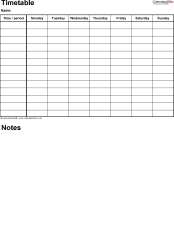
Template 16: Weekly timetable,
portrait format, 1 page,
Monday to Sunday (7 day week),
with room for notes and comments
Template 16: Weekly timetable,
portrait format, 1 page,
Monday to Sunday (7 day week),
with room for notes and comments
Template 16:
Timetable (Monday - Sunday)
portrait, with room for notes
- one A4 page, portrait format
- Monday to Sunday (7 day week)
- with room for notes and comments
- easy to modify and adapt to your needs
- can be saved and reused again later
- template suitable for all Word versions from 2007 (.docx file)
Download template 16
View large image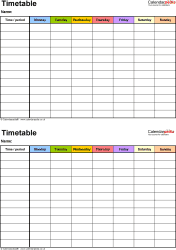
Template 17: Weekly timetable,
Two A5 timetables on one page, in colour,
Monday to Sunday (7 day week),
portrait format
Template 17: Weekly timetable,
Two A5 timetables on one page, in colour,
Monday to Sunday (7 day week),
portrait format
Template 17:
Two A5 timetables (Monday - Sunday)
portrait, in colour
- Two A5 timetables on one page on top of each other
- one A4 page, portrait format, in colour
- Monday to Sunday (7 day week)
- easy to modify and adapt to your needs
- can be saved and reused again later
- template suitable for all Word versions from 2007 (.docx file)
Download template 17
View large image
Template 18: Weekly timetable,
Two A5 timetables on one page,
Monday to Sunday (7 day week),
portrait format
Template 18: Weekly timetable,
Two A5 timetables on one page,
Monday to Sunday (7 day week),
portrait format
Template 18:
Two A5 timetables (Monday - Sunday)
portrait
- Two A5 timetables on one page on top of each other
- one A4 page, portrait format
- Monday to Sunday (7 day week)
- easy to modify and adapt to your needs
- can be saved and reused again later
- template suitable for all Word versions from 2007 (.docx file)
Download template 18
Calendar templates
Home · Sitemap / archive
Yearly calendars
Monthly calendars
Mar · Apr · May · Jun · Jul Weekly calendars
Financial calendars 24/25
PDF · Word · Excel
Split year calendars 24/25
PDF · Word · Excel
School calendars 24/25
PDF · Word · Excel
Academic calendars 24/25
PDF · Word · Excel
2 year calendars 24/25
PDF · Word · Excel
3 year calendars 24-26
PDF · Word · Excel
Photo calendars 2024
PDF · Word · Excel
Birthday calendars
PDF · Word · Excel
Perpetual calendars
PDF · Word · Excel
Timetables
PDF · Word · Excel
Week numbers
2024 · 2025 · 2026 / 2023
Current Week Number
On our US site:
Calendars USA
Calendars Canada
Calendars Australia
Yearly calendars
| PDF: | 2024 · 2025 / 2023 |
| Word: | 2024 · 2025 / 2023 |
| Excel: | 2024 · 2025 / 2023 |
Mar · Apr · May · Jun · Jul Weekly calendars
| PDF: | 2024 · 2025 / 2023 |
| Word: | 2024 · 2025 / 2023 |
| Excel: | 2024 · 2025 / 2023 |
PDF · Word · Excel
Split year calendars 24/25
PDF · Word · Excel
School calendars 24/25
PDF · Word · Excel
Academic calendars 24/25
PDF · Word · Excel
2 year calendars 24/25
PDF · Word · Excel
3 year calendars 24-26
PDF · Word · Excel
Photo calendars 2024
PDF · Word · Excel
Birthday calendars
PDF · Word · Excel
Perpetual calendars
PDF · Word · Excel
Timetables
PDF · Word · Excel
Week numbers
2024 · 2025 · 2026 / 2023
Current Week Number
On our US site:
Calendars USA
| PDF: | 2024 · 2025 / 2023 |
| Word: | 2024 · 2025 / 2023 |
| Excel: | 2024 · 2025 / 2023 |
| PDF: | 2024 · 2025 / 2023 |
| Word: | 2024 · 2025 / 2023 |
| Excel: | 2024 · 2025 / 2023 |
| PDF: | 2024 · 2025 / 2023 |
| Word: | 2024 · 2025 / 2023 |
| Excel: | 2024 · 2025 / 2023 |