Timetables in Microsoft Excel format
Weekly timetable templates for MS Excel
in 18 versions to download and print (free)
Advertisement
Find the right timetable
Five, six or seven days
Templates 1 to 6 cover Monday to Friday - the classic school week. Templates 7 to 12 add Saturday, and templates 13 to 18 run from Monday to Sunday, for clubs, shifts and activities at the weekend.
Templates 1 to 6 cover Monday to Friday - the classic school week. Templates 7 to 12 add Saturday, and templates 13 to 18 run from Monday to Sunday, for clubs, shifts and activities at the weekend.
Landscape, portrait or two to a page
In each group the first two templates are landscape and give every day a wide column. The next two are portrait, with space for notes below the timetable. The last two put two A5 timetables on one portrait page - one for each child, or a copy for school and one for home.
In each group the first two templates are landscape and give every day a wide column. The next two are portrait, with space for notes below the timetable. The last two put two A5 timetables on one portrait page - one for each child, or a copy for school and one for home.
In colour or plain
Every layout comes in colour, with each day's heading in its own colour, and in a plainer version with less colour. To save colour ink, you can print any timetable in black and white.
Every layout comes in colour, with each day's heading in its own colour, and in a plainer version with less colour. To save colour ink, you can print any timetable in black and white.
Edit in Excel, then print
Type in subjects, rooms and times, colour-code the lessons, then save the file and update it whenever the timetable changes. You can also add your own logo alongside the Calendarpedia logo (our FAQ shows how to add your own dates, colours or logo). The Excel files also open in Google Sheets and LibreOffice Calc.
Type in subjects, rooms and times, colour-code the lessons, then save the file and update it whenever the timetable changes. You can also add your own logo alongside the Calendarpedia logo (our FAQ shows how to add your own dates, colours or logo). The Excel files also open in Google Sheets and LibreOffice Calc.
Timetables Monday to Friday (5-day week)
for Microsoft Excel (6 templates)
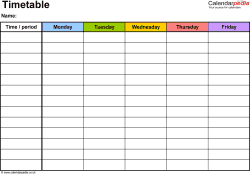
Template 1:
Timetable (Monday - Friday)
landscape, in colour
- weekly timetable on one A4 page, landscape orientation (horizontal)
- Monday to Friday (5-day week)
- a wide column for each of the five days and a Time / period column on the left, with rows for every lesson or appointment
- day headings each in their own colour, with a space for your name at the top
- good for school lessons, a college or university week, or a regular work schedule
- easy to modify and adapt to your needs
- can be saved and reused again later
Download template 11 page · 15 KB · xlsx file
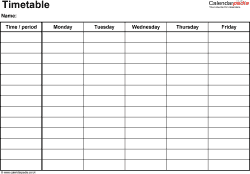
Template 2:
Timetable (Monday - Friday)
landscape
- weekly timetable on one A4 page, landscape orientation (horizontal)
- Monday to Friday (5-day week)
- a wide column for each of the five days and a Time / period column on the left, with rows for every lesson or appointment
- day headings in black on white, with a space for your name at the top
- good for school lessons, a college or university week, or a regular work schedule
- easy to modify and adapt to your needs
- can be saved and reused again later
Download template 21 page · 15 KB · xlsx file
View large image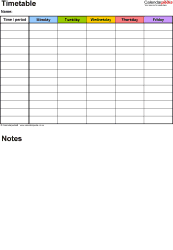
portrait format, 1 page, in colour,
Monday to Friday (5-day week),
with room for notes and comments
portrait format, 1 page, in colour,
Monday to Friday (5-day week),
with room for notes and comments
Template 3:
Timetable (Monday - Friday)
portrait, with room for notes, in colour
- weekly timetable on one A4 page, portrait orientation (vertical)
- Monday to Friday (5-day week)
- a column for each of the five days, a Time / period column and a box for notes below the timetable
- day headings each in their own colour, with a space for your name at the top
- the notes box is handy for homework, PE kit days, club times or room numbers
- easy to modify and adapt to your needs
- can be saved and reused again later
Download template 31 page · 15 KB · xlsx file
View large image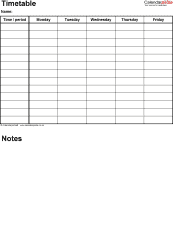
portrait format, 1 page,
Monday to Friday (5-day week),
with room for notes and comments
portrait format, 1 page,
Monday to Friday (5-day week),
with room for notes and comments
Template 4:
Timetable (Monday - Friday)
portrait, with room for notes
- weekly timetable on one A4 page, portrait orientation (vertical)
- Monday to Friday (5-day week)
- a column for each of the five days, a Time / period column and a box for notes below the timetable
- day headings in black on white, with a space for your name at the top
- the notes box is handy for homework, PE kit days, club times or room numbers
- easy to modify and adapt to your needs
- can be saved and reused again later
Download template 41 page · 15 KB · xlsx file
View large image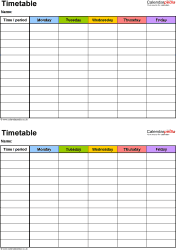
Two A5 timetables on one page, in colour,
Monday to Friday (5-day week),
portrait format
Two A5 timetables on one page, in colour,
Monday to Friday (5-day week),
portrait format
Template 5:
Two A5 timetables (Monday - Friday)
portrait, in colour
- two A5 timetables on one A4 page, one above the other, portrait orientation (vertical)
- Monday to Friday (5-day week)
- each with a column for each of the five days and a Time / period column
- day headings each in their own colour, with a space for your name at the top
- cut in half for two A5 timetables - one for each child, or one for school and one for after-school clubs
- easy to modify and adapt to your needs
- can be saved and reused again later
Download template 51 page · 16 KB · xlsx file
Template 6:
Two A5 timetables (Monday - Friday)
portrait
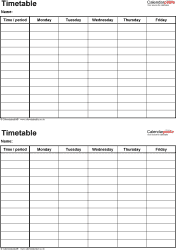
- two A5 timetables on one A4 page, one above the other, portrait orientation (vertical)
- Monday to Friday (5-day week)
- each with a column for each of the five days and a Time / period column
- day headings in black on white, with a space for your name at the top
- cut in half for two A5 timetables - one for each child, or one for school and one for after-school clubs
- easy to modify and adapt to your needs
- can be saved and reused again later
Download template 61 page · 16 KB · xlsx file
Timetables Monday to Saturday (6-day week)
for Microsoft Excel (6 templates)
Template 7:
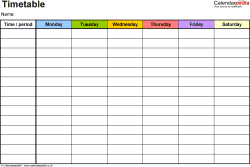
Timetable (Monday - Saturday)
landscape, in colour
- weekly timetable on one A4 page, landscape orientation (horizontal)
- Monday to Saturday (6-day week)
- a wide column for each of the six days and a Time / period column on the left, with rows for every lesson or appointment
- day headings each in their own colour, with a space for your name at the top
- good when Saturday counts too: Saturday school, sports fixtures, part-time jobs or music lessons
- easy to modify and adapt to your needs
- can be saved and reused again later
Download template 71 page · 15 KB · xlsx file

Template 8:
Timetable (Monday - Saturday)
landscape
- weekly timetable on one A4 page, landscape orientation (horizontal)
- Monday to Saturday (6-day week)
- a wide column for each of the six days and a Time / period column on the left, with rows for every lesson or appointment
- day headings in black on white, with a space for your name at the top
- good when Saturday counts too: Saturday school, sports fixtures, part-time jobs or music lessons
- easy to modify and adapt to your needs
- can be saved and reused again later
Download template 81 page · 15 KB · xlsx file
View large image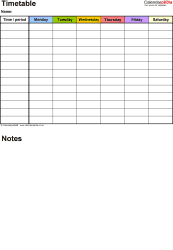
portrait format, 1 page, in colour,
Monday to Saturday (6-day week),
with room for notes and comments
portrait format, 1 page, in colour,
Monday to Saturday (6-day week),
with room for notes and comments
Template 9:
Timetable (Monday - Saturday)
portrait, with room for notes, in colour
- weekly timetable on one A4 page, portrait orientation (vertical)
- Monday to Saturday (6-day week)
- a column for each of the six days, a Time / period column and a box for notes below the timetable
- day headings each in their own colour, with a space for your name at the top
- the notes box is handy for revision plans, training sessions or weekend shifts
- easy to modify and adapt to your needs
- can be saved and reused again later
Download template 91 page · 15 KB · xlsx file
View large image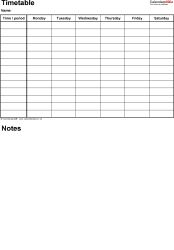
portrait format, 1 page,
Monday to Saturday (6-day week),
with room for notes and comments
portrait format, 1 page,
Monday to Saturday (6-day week),
with room for notes and comments
Template 10:
Timetable (Monday - Saturday)
portrait, with room for notes
- weekly timetable on one A4 page, portrait orientation (vertical)
- Monday to Saturday (6-day week)
- a column for each of the six days, a Time / period column and a box for notes below the timetable
- day headings in black on white, with a space for your name at the top
- the notes box is handy for revision plans, training sessions or weekend shifts
- easy to modify and adapt to your needs
- can be saved and reused again later
Download template 101 page · 15 KB · xlsx file
View large image
Two A5 timetables on one page, in colour,
Monday to Saturday (6-day week),
portrait format
Two A5 timetables on one page, in colour,
Monday to Saturday (6-day week),
portrait format
Template 11:
Two A5 timetables (Monday - Saturday)
portrait, in colour
- two A5 timetables on one A4 page, one above the other, portrait orientation (vertical)
- Monday to Saturday (6-day week)
- each with a column for each of the six days and a Time / period column
- day headings each in their own colour, with a space for your name at the top
- cut in half for two A5 timetables - for two children, or a week A and week B rota
- easy to modify and adapt to your needs
- can be saved and reused again later
Download template 111 page · 16 KB · xlsx file

Template 12:
Two A5 timetables (Monday - Saturday)
portrait
- two A5 timetables on one A4 page, one above the other, portrait orientation (vertical)
- Monday to Saturday (6-day week)
- each with a column for each of the six days and a Time / period column
- day headings in black on white, with a space for your name at the top
- cut in half for two A5 timetables - for two children, or a week A and week B rota
- easy to modify and adapt to your needs
- can be saved and reused again later
Download template 121 page · 16 KB · xlsx file
Timetables Monday to Sunday (7-day week)
for Microsoft Excel (6 templates)
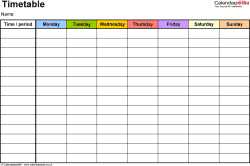
Template 13:
Timetable (Monday - Sunday)
landscape, in colour
- weekly timetable on one A4 page, landscape orientation (horizontal)
- Monday to Sunday (7-day week)
- a wide column for each of the seven days and a Time / period column on the left, with rows for every lesson or appointment
- day headings each in their own colour, with a space for your name at the top
- good for a full week: revision timetables, shift work, fitness and training plans
- easy to modify and adapt to your needs
- can be saved and reused again later
Download template 131 page · 15 KB · xlsx file
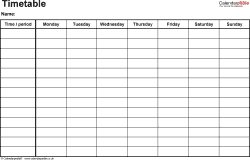
Template 14:
Timetable (Monday - Sunday)
landscape
- weekly timetable on one A4 page, landscape orientation (horizontal)
- Monday to Sunday (7-day week)
- a wide column for each of the seven days and a Time / period column on the left, with rows for every lesson or appointment
- day headings in black on white, with a space for your name at the top
- good for a full week: revision timetables, shift work, fitness and training plans
- easy to modify and adapt to your needs
- can be saved and reused again later
Download template 141 page · 15 KB · xlsx file
View large image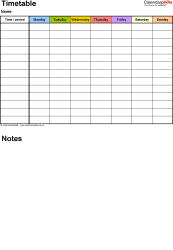
portrait format, 1 page, in colour,
Monday to Sunday (7-day week),
with room for notes and comments
portrait format, 1 page, in colour,
Monday to Sunday (7-day week),
with room for notes and comments
Template 15:
Timetable (Monday - Sunday)
portrait, with room for notes, in colour
- weekly timetable on one A4 page, portrait orientation (vertical)
- Monday to Sunday (7-day week)
- a column for each of the seven days, a Time / period column and a box for notes below the timetable
- day headings each in their own colour, with a space for your name at the top
- the notes box is handy for goals, meal plans, contact numbers or reminders
- easy to modify and adapt to your needs
- can be saved and reused again later
Download template 151 page · 15 KB · xlsx file
View large image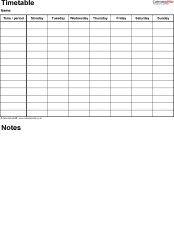
portrait format, 1 page,
Monday to Sunday (7-day week),
with room for notes and comments
portrait format, 1 page,
Monday to Sunday (7-day week),
with room for notes and comments
Template 16:
Timetable (Monday - Sunday)
portrait, with room for notes
- weekly timetable on one A4 page, portrait orientation (vertical)
- Monday to Sunday (7-day week)
- a column for each of the seven days, a Time / period column and a box for notes below the timetable
- day headings in black on white, with a space for your name at the top
- the notes box is handy for goals, meal plans, contact numbers or reminders
- easy to modify and adapt to your needs
- can be saved and reused again later
Download template 161 page · 15 KB · xlsx file
View large image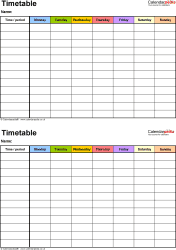
Two A5 timetables on one page, in colour,
Monday to Sunday (7-day week),
portrait format
Two A5 timetables on one page, in colour,
Monday to Sunday (7-day week),
portrait format
Template 17:
Two A5 timetables (Monday - Sunday)
portrait, in colour
- two A5 timetables on one A4 page, one above the other, portrait orientation (vertical)
- Monday to Sunday (7-day week)
- each with a column for each of the seven days and a Time / period column
- day headings each in their own colour, with a space for your name at the top
- cut in half for two A5 timetables - pin one to the fridge and keep one in a school bag or planner
- easy to modify and adapt to your needs
- can be saved and reused again later
Download template 171 page · 16 KB · xlsx file

Template 18:
Two A5 timetables (Monday - Sunday)
portrait
- two A5 timetables on one A4 page, one above the other, portrait orientation (vertical)
- Monday to Sunday (7-day week)
- each with a column for each of the seven days and a Time / period column
- day headings in black on white, with a space for your name at the top
- cut in half for two A5 timetables - pin one to the fridge and keep one in a school bag or planner
- easy to modify and adapt to your needs
- can be saved and reused again later
Download template 181 page · 16 KB · xlsx file
Using your timetable
Ideas for your timetable
A school timetable for home and the school bag
Fill in each lesson with the subject, the room and the teacher, and mark the days for PE kit, swimming, homework deadlines and after-school clubs. Print one copy for the school bag and one for the fridge, so the whole family knows what each day brings. Many secondary schools work with a two-week timetable (week A and week B): templates 5, 6, 11, 12, 17 and 18 put two A5 timetables on one page, one for each week.
Fill in each lesson with the subject, the room and the teacher, and mark the days for PE kit, swimming, homework deadlines and after-school clubs. Print one copy for the school bag and one for the fridge, so the whole family knows what each day brings. Many secondary schools work with a two-week timetable (week A and week B): templates 5, 6, 11, 12, 17 and 18 put two A5 timetables on one page, one for each week.
A revision timetable
Before GCSEs, A levels or university exams, a revision timetable splits the work into manageable sessions. Write a subject or a topic into each slot, leave room for breaks, and use the Saturday and Sunday columns of templates 7 to 18 for weekend revision. Tick off each session when it is done, so you can see how far you have come.
Before GCSEs, A levels or university exams, a revision timetable splits the work into manageable sessions. Write a subject or a topic into each slot, leave room for breaks, and use the Saturday and Sunday columns of templates 7 to 18 for weekend revision. Tick off each session when it is done, so you can see how far you have come.
University and college
Students can keep lectures, seminars, tutorials and lab sessions in one weekly timetable, with module codes and rooms, and add part-time work, sports training and society meetings around them.
Students can keep lectures, seminars, tutorials and lab sessions in one weekly timetable, with module codes and rooms, and add part-time work, sports training and society meetings around them.
Home, work and clubs
A timetable works for anything that repeats each week: a chore chart or cleaning rota for the children, a weekly meal planner, a gym or running plan, music lessons, a staff rota for a small shop or a cafe, care visits for an older relative, or the training sessions of a sports club.
A timetable works for anything that repeats each week: a chore chart or cleaning rota for the children, a weekly meal planner, a gym or running plan, music lessons, a staff rota for a small shop or a cafe, care visits for an older relative, or the training sessions of a sports club.
Filling in your timetable
Times or periods
The first column is headed "Time / period", so you can write in the start and end times of each lesson (for example 9:00-9:50) or simply the period numbers. Use a row for morning break and one for lunch if your day has them, so the timetable matches the school bell.
The first column is headed "Time / period", so you can write in the start and end times of each lesson (for example 9:00-9:50) or simply the period numbers. Use a row for morning break and one for lunch if your day has them, so the timetable matches the school bell.
Colour-coding
Give every subject or activity its own colour, so you can find the next maths lesson or football training at a glance. In the Excel and Word versions you can shade the cells; on a printed timetable, highlighters or coloured pencils do the same job.
Give every subject or activity its own colour, so you can find the next maths lesson or football training at a glance. In the Excel and Word versions you can shade the cells; on a printed timetable, highlighters or coloured pencils do the same job.
Timetable or weekly calendar?
A timetable has no dates, so it repeats every week of the term or the year. To plan particular weeks, with the dates and the bank holidays marked, use our weekly calendars for 2027, and for an overview of the whole school year, from August to July, see the school calendars 2026/27.
A timetable has no dates, so it repeats every week of the term or the year. To plan particular weeks, with the dates and the bank holidays marked, use our weekly calendars for 2027, and for an overview of the whole school year, from August to July, see the school calendars 2026/27.
Ideas for your timetable in Excel
Drop-down lists of subjects
Type your subjects or activities into a spare column, select the timetable cells and choose Data → Data Validation → List, and every cell offers the same drop-down list. Spellings stay the same everywhere, which matters when you count or colour the slots later.
Type your subjects or activities into a spare column, select the timetable cells and choose Data → Data Validation → List, and every cell offers the same drop-down list. Spellings stay the same everywhere, which matters when you count or colour the slots later.
Counting revision hours
A formula such as =COUNTIF(B3:H14,"Maths") counts the slots given to each subject, so a revision timetable shows straight away whether every subject gets its fair share. Right-click the sheet tab, choose Move or Copy and tick "Create a copy" to give each child or each term a timetable of its own.
A formula such as =COUNTIF(B3:H14,"Maths") counts the slots given to each subject, so a revision timetable shows straight away whether every subject gets its fair share. Right-click the sheet tab, choose Move or Copy and tick "Create a copy" to give each child or each term a timetable of its own.
Using the templates
Terms of Use
All templates on this site may be used free of charge, at home, at work and at school, provided that the Calendarpedia logo, the copyright notice with the website address ("© Calendarpedia® www.calendarpedia.co.uk") and the disclaimer ("Data provided 'as is' without warranty") stay on the template. The templates may not be sold or built into products that are sold, and the blank templates (or copies with only minor changes) may not be offered for download on other websites. All content on this site is protected by copyright © 2011-2026 Calendarpedia®. All rights reserved. Data is provided 'as is' without warranty of any kind, may contain errors and is subject to change without notice. If you find a mistake, please let us know. Full details are in our Terms of Use.
System requirements and compatibility
Every template is saved in Microsoft Excel (.xlsx) format, the Office Open XML spreadsheet format standardised as ISO/IEC 29500, which Excel has used since Excel 2007.
- Microsoft Excel
The templates open in Excel 2007 and later for Windows, Excel 2008 and later for Mac, Microsoft 365 and Excel for the web. - Google Sheets
The .xlsx files open in Google Sheets with the layout intact, so you can fill the template in from a browser on any computer, tablet or phone without installing anything. - Free alternatives
If you don't have Microsoft Excel installed, use Excel for the web (Microsoft 365 for the web, formerly Office Online, free with a Microsoft account) or one of the free alternatives to Microsoft Office: LibreOffice Calc or FreeOffice PlanMaker (and others). Apple's Numbers opens the files too, but the layout may shift, and OpenOffice Calc unfortunately has formatting problems with some of our calendars. - Editing on a phone or tablet
The Excel app for iPhone, iPad and Android and the Google Sheets app both open these files, so you can add or check an entry on the move and print the template later from any computer. - Your own dates, colours and logo
Type your entries straight into the day cells, shade the days that matter to you and add your own logo alongside the Calendarpedia logo - our FAQ shows how to add your own dates, colours or logo. - Printing in black and white
To save colour ink, you can print any template in black and white. - Older versions of Excel
Excel 2003 and older versions can't open .xlsx files directly. Open the template in Excel for the web or one of the free programs above instead, or use the PDF version of the calendar.
How to open and print these templates in Google Sheets
Download the .xlsx file first. Then either drag it into Google Drive, right-click it and choose Open with → Google Sheets, or open Sheets and go to File → Open → Upload. The template keeps its layout and colours, and you can type into the day cells and change the fill colours exactly as you would in Excel.
To print from Sheets, go to File → Print, set the orientation to landscape or portrait to match the template you chose, and set Scale to "Fit to page" so the template doesn't spill onto a second page. Set Margins to Narrow if you want the grid to fill more of the paper. Because the file sits in Drive, you can share it with a team or a family and everyone works on the same template.
To print from Sheets, go to File → Print, set the orientation to landscape or portrait to match the template you chose, and set Scale to "Fit to page" so the template doesn't spill onto a second page. Set Margins to Narrow if you want the grid to fill more of the paper. Because the file sits in Drive, you can share it with a team or a family and everyone works on the same template.
Problems downloading, opening or printing a template?
Our FAQ explains how to print a template in a different size or in black and white, what to do if the edges are cut off, a download doesn't work or a file won't open in Excel or Word, which other programs you can use and how to add your own dates, colours or logo.