Split year calendars 2014/2015 (UK)
in PDF format
Split year calendar templates for years
2014 and 2015 (UK) in PDF file format
Advertisement
The bank holidays, clock changes and working days from July 2014 to June 2015 are listed below the templates.
Split year calendars 2014/15 in PDF format,
landscape orientation (1 template)
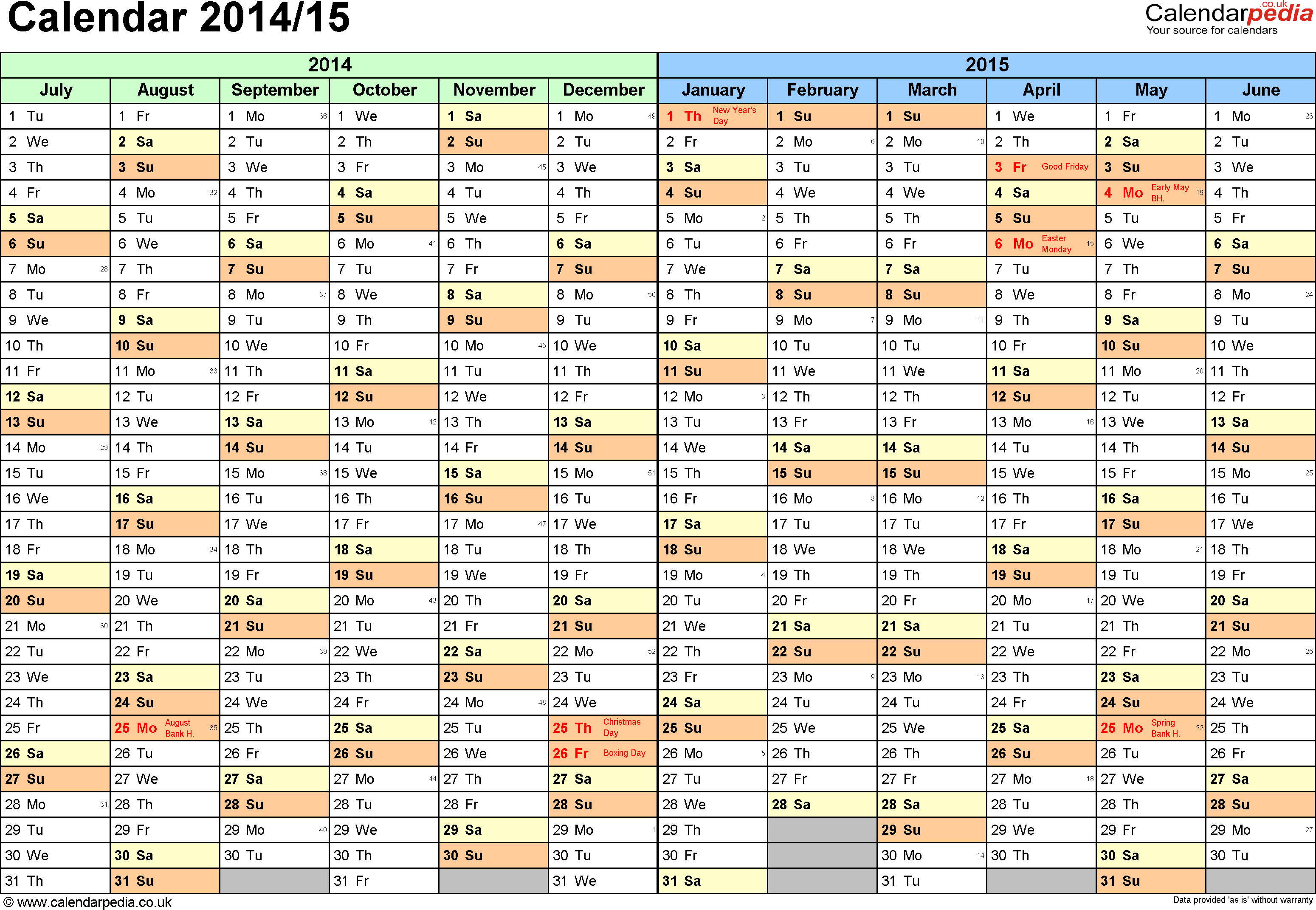
landscape, 1 page
Template 1:
Split year calendar 2014/15 (UK)
landscape
- runs from 1 July 2014 to 30 June 2015
- one A4 page, landscape orientation (horizontal)
- second half of 2014 (July to December) and first half of 2015 (January to June) together on 1 page
- years marked in different colours for easier identification
- UK edition with bank holidays highlighted in red
- with week numbers
- ready to print
Download template 11 page · 196 KB · pdf file
Split year calendars 2014/15 in PDF format,
portrait orientation (1 template)
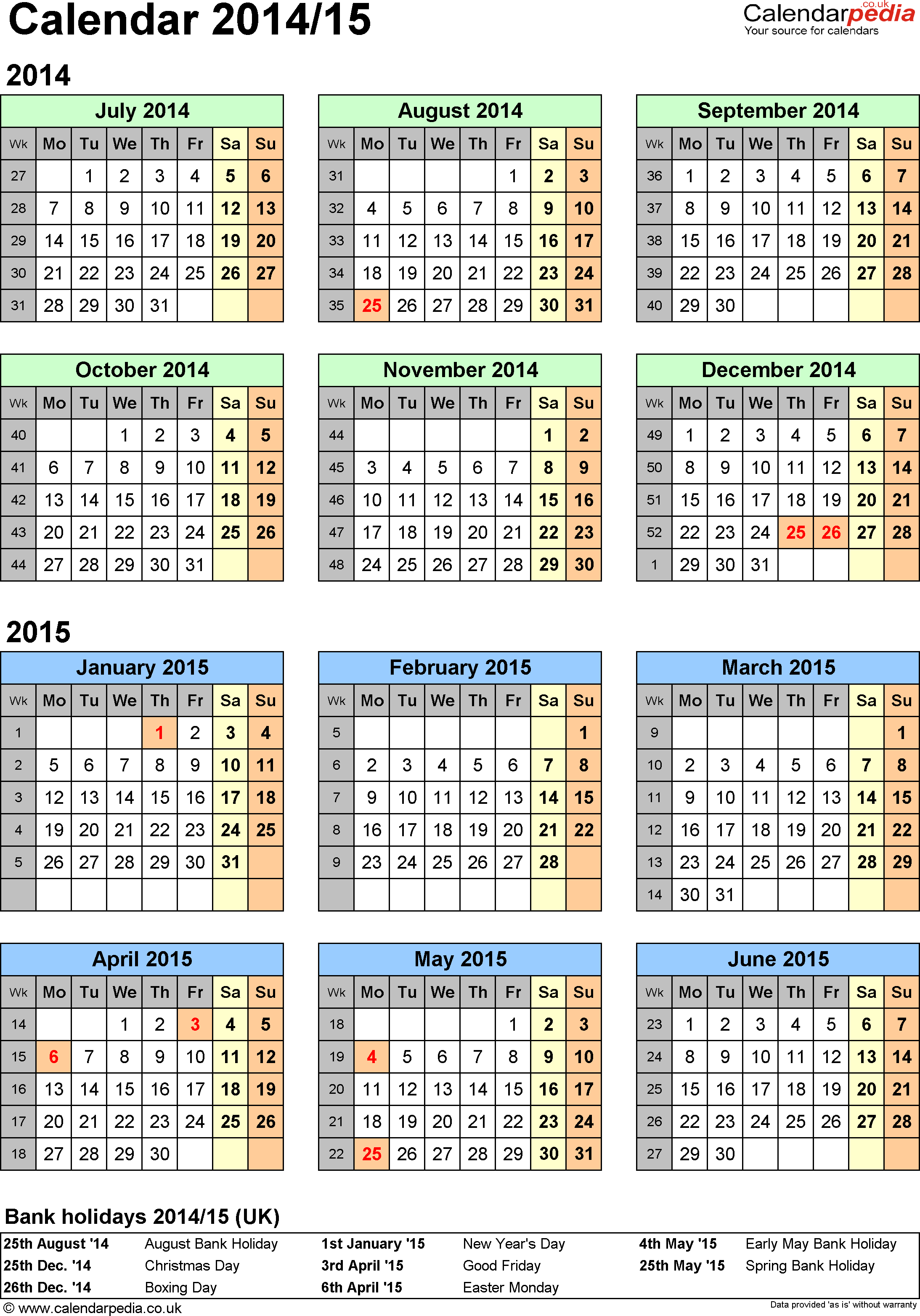
portrait, 1 page, year at a glance
Template 2:
Split year calendar 2014/15 (UK)
portrait, year at a glance
- runs from 1 July 2014 to 30 June 2015
- one A4 page, portrait orientation (vertical)
- second half of 2014 (July to December) and first half of 2015 (January to June) together on 1 page
- years marked in different colours for easier identification
- UK edition with bank holidays highlighted in red
- with week numbers
- ready to print
Download template 21 page · 199 KB · pdf file
Key dates for the split year 2014/15
At a glance
These calendars run from Tuesday 1 July 2014 to Tuesday 30 June 2015: 365 days, 253 of them working days in England and Wales (Monday to Friday, not counting bank holidays). The period runs from week 27, the week commencing (w/c) Monday 30 June 2014, to week 27, w/c Monday 29 June 2015.
Bank holidays in England and Wales
There are eight bank holidays in this period:
There are eight bank holidays in this period:
- Monday 25 August 2014: August Bank Holiday
- Thursday 25 December 2014: Christmas Day
- Friday 26 December 2014: Boxing Day
- Thursday 1 January 2015: New Year's Day
- Friday 3 April 2015: Good Friday
- Monday 6 April 2015: Easter Monday
- Monday 4 May 2015: Early May Bank Holiday
- Monday 25 May 2015: Spring Bank Holiday
- August Bank Holiday: Saturday 23 to Monday 25 August 2014 (three days)
- Christmas Day and Boxing Day: Thursday 25 to Sunday 28 December 2014 (four days)
- Good Friday and Easter Monday: Friday 3 to Monday 6 April 2015 (four days)
- Early May Bank Holiday: Saturday 2 to Monday 4 May 2015 (three days)
- Spring Bank Holiday: Saturday 23 to Monday 25 May 2015 (three days)
Clock changes
The clocks go back one hour at 2am on Sunday 26 October 2014, when British Summer Time ends, and go forward one hour at 1am on Sunday 29 March 2015, when British Summer Time begins.
Other dates to remember
Also in this period: Halloween on Friday 31 October 2014, Christmas Eve on Wednesday 24 December 2014, New Year's Eve on Wednesday 31 December 2014, Valentine's Day on Saturday 14 February 2015, Mother's Day (Mothering Sunday) on Sunday 15 March 2015 and Father's Day on Sunday 21 June 2015.
Who uses a July to June year
A year from July to June suits plans that run across the summer and the turn of the year: sports seasons (the football season in England runs from August to May), club and society years, and organisations whose financial year ends on 30 June. It is also the financial year in Australia.
Ideas for your printable split year calendar 2014/15
On the clubhouse noticeboard
Print the July to June year on A3 with "Fit to page" for the clubhouse, the church hall or the office noticeboard, with fixtures, meetings and events written in. On thin card it stays flat on a pinboard all season, and laminated it takes dry-wipe markers for a rota of volunteers, coaches or drivers that changes week by week.
Writing on it by hand
Pencil in fixtures and events while they are provisional and go over them in pen once they are confirmed, mark the AGM and the subscription deadline in a colour of their own, and run a highlighter across the summer break and Christmas. With both halves of the season on one sheet, the turn of the year is no longer a gap in the plan.
Using the templates
Terms of Use
All templates on this site may be used free of charge, at home, at work and at school, provided that the Calendarpedia logo, the copyright notice with the website address ("© Calendarpedia® www.calendarpedia.co.uk") and the disclaimer ("Data provided 'as is' without warranty") stay on the template. The templates may not be sold or built into products that are sold, and the blank templates (or copies with only minor changes) may not be offered for download on other websites. All content on this site is protected by copyright © 2011-2026 Calendarpedia®. All rights reserved. Data is provided 'as is' without warranty of any kind, may contain errors and is subject to change without notice. If you find a mistake, please let us know. Full details are in our Terms of Use.
System requirements and compatibility
Every template is saved in PDF (.pdf) format, the ISO-standardised document format (ISO 32000) that every device can open, so it looks and prints the same everywhere.
- Nothing to install
The file opens straight in the browser you are already using, on Windows, Mac, iPhone, iPad, Android and Chromebook alike, in Chrome, Edge, Safari and Firefox. Most computers also have a PDF viewer built in, such as Preview on a Mac or Microsoft Edge on Windows, so a double-click is usually all it takes. - Or use a dedicated PDF reader
Adobe Acrobat Reader is free for Windows, Mac, Android and iOS, and free alternatives such as Foxit Reader and Sumatra PDF open these files just as well. None of them is required: use one if you prefer it, not because the template needs it. - Open it from Google Drive
Upload the file to Google Drive and you can view and print it from anywhere you sign in, on any device, without installing anything. - Printing from a phone, tablet or Chromebook
You don't need a computer to get the template onto paper. On an iPhone or iPad, open the PDF and choose Share, then Print, and any AirPrint printer on your Wi-Fi will pick it up. On an Android phone, use the print option in the app's menu (under Share or the three-dot menu). On a Chromebook, Ctrl+P sends it to any printer already set up in Chrome. If there is no printer within reach, save the file to a USB stick or email it to yourself and print your template at work, in a library or at a copy shop. - Printing in black and white
To save colour ink, you can print any template in black and white: the PDF reader or browser prints the colours as shades of grey. - Older devices and software
PDF has been the standard format for printable documents for many years, so the files also open in older PDF readers and on older computers, without any conversion.
Problems downloading, opening or printing a template?
Our FAQ explains how to print a template in a different size or in black and white, what to do if the edges are cut off, a download doesn't work or a file won't open in Excel or Word, and which other programs you can use.